

Rive Blog
Rive vs. After Effects
Rive vs After Effects: After Effects is built for linear video. Rive is the interactive engine for apps, games, and UI. Here's when to pick each one.

Updated October 2026
After Effects is currently the industry standard for linear motion graphics, compositing, and video effects. It’s widely used in film and advertising to create polished, linear motion sequences. There’s no doubt it’s a powerful tool for motion designers.
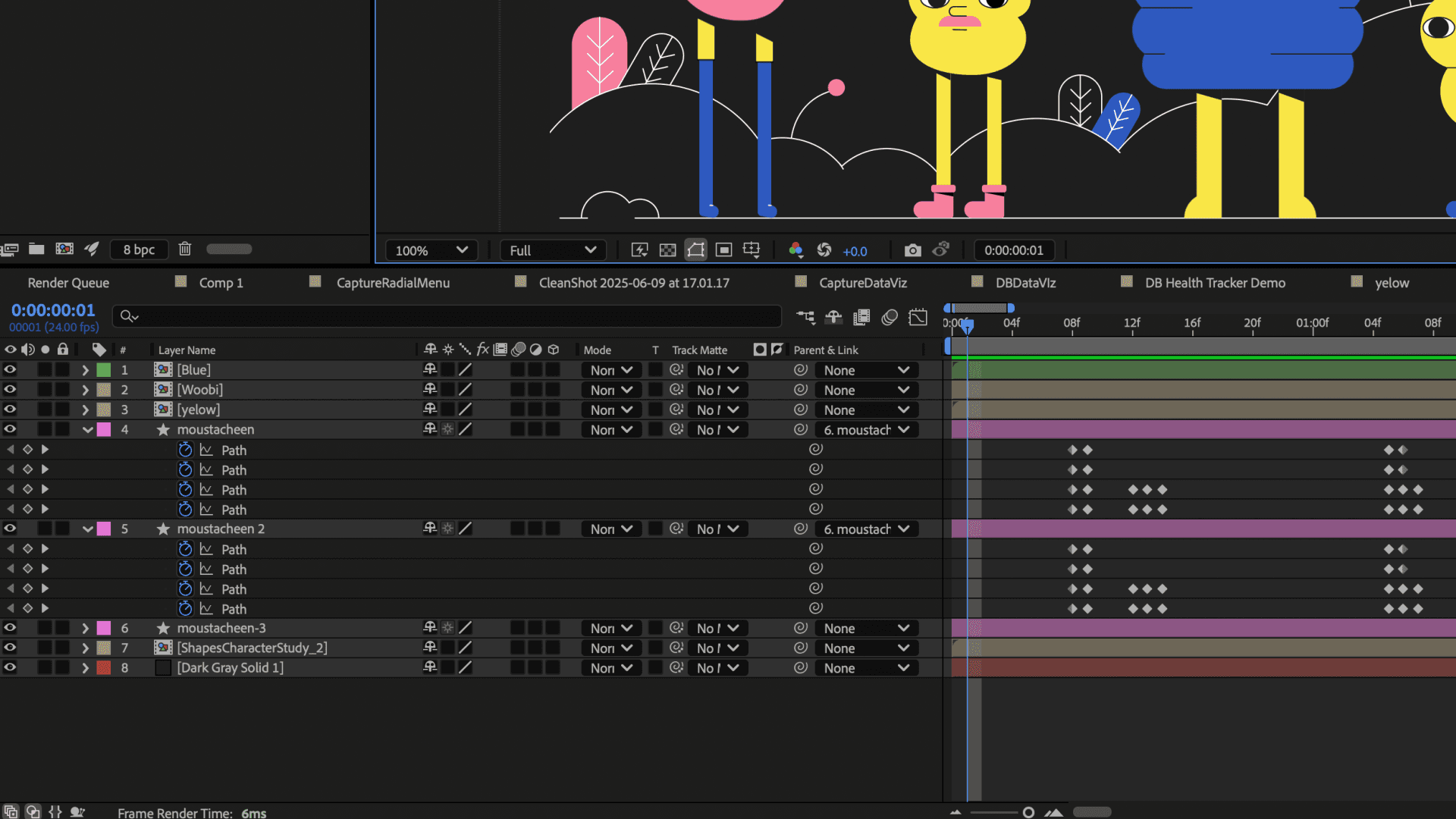
But not all motion is linear.
Interactive motion design means graphics that react to user input, change with data, and run in real time inside software. After Effects was built for video, so this work needs a different tool.
Rive is the interactive engine for games, apps, and UI. Rive graphics run natively in apps, games, and websites, where they respond to user input, app logic, and live data. Make the whole thing in Rive, or add Rive to the products you already have.
Rive is also solving a bigger problem: We're on a mission to end hard-coded graphics with a new general-purpose graphics format for software and UI.
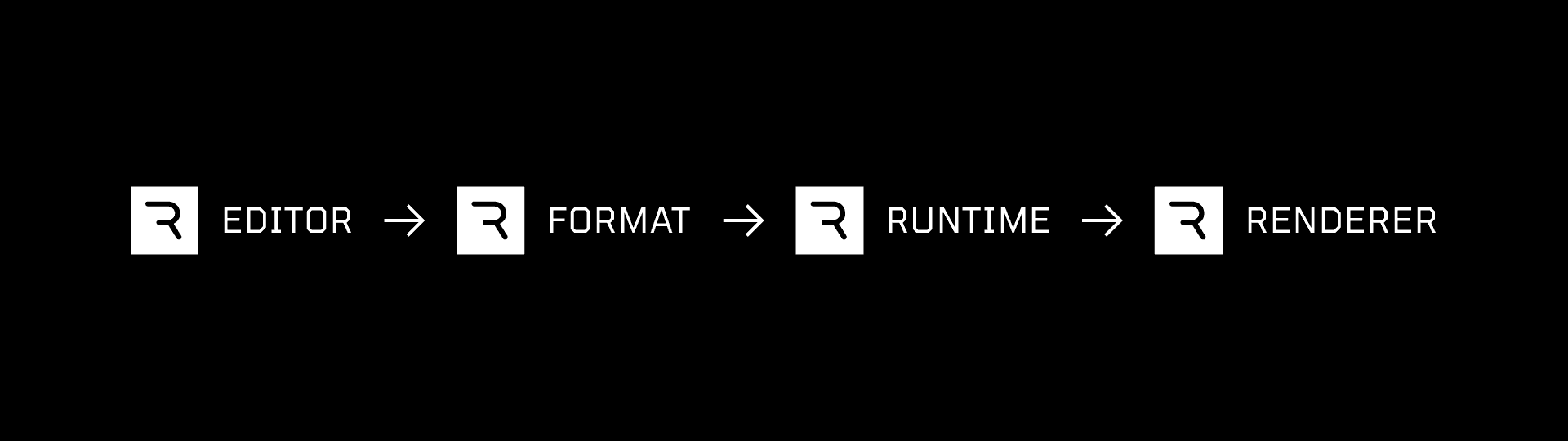
One Rive file holds the design, motion, and logic, and that file ships. Your coding agent builds with the Rive CLI (Claude Code, Codex, Cursor), and designers and animators shape the same file by hand in the Rive Editor, going back and forth as often as you like. The custom-built Rive Renderer draws it the same way in the Editor and in your product.
Both tools bring visuals to life, and they serve different purposes. After Effects is built for cinematic, linear motion. Rive is built for state-driven graphics that run in real time inside software.
Rive vs After Effects, the short answer: Pick After Effects for video, film, broadcast, ads, and social content with a fixed length. Pick Rive when the motion lives inside an app, website, or game and has to react to people or data. You can use both.
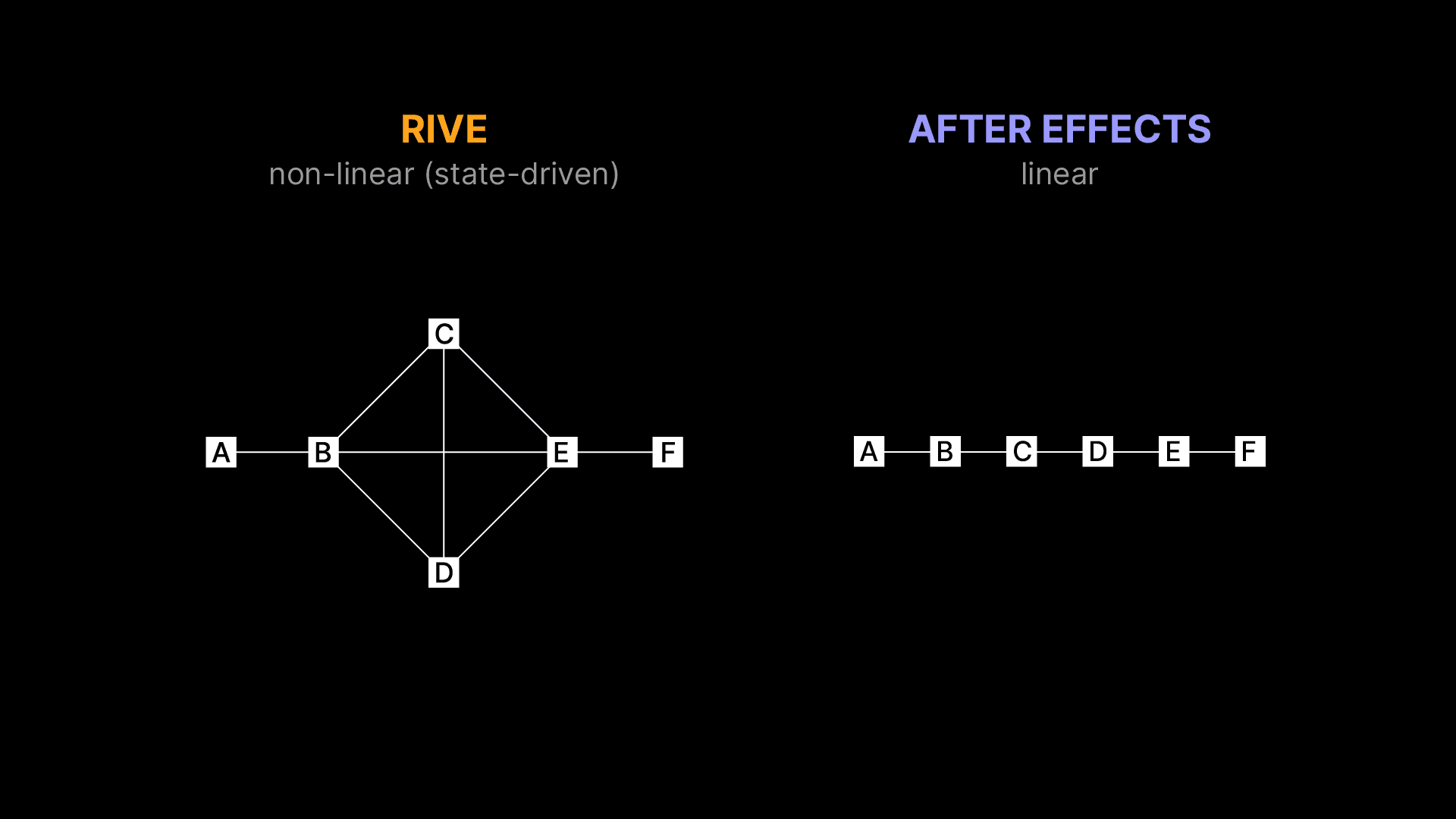
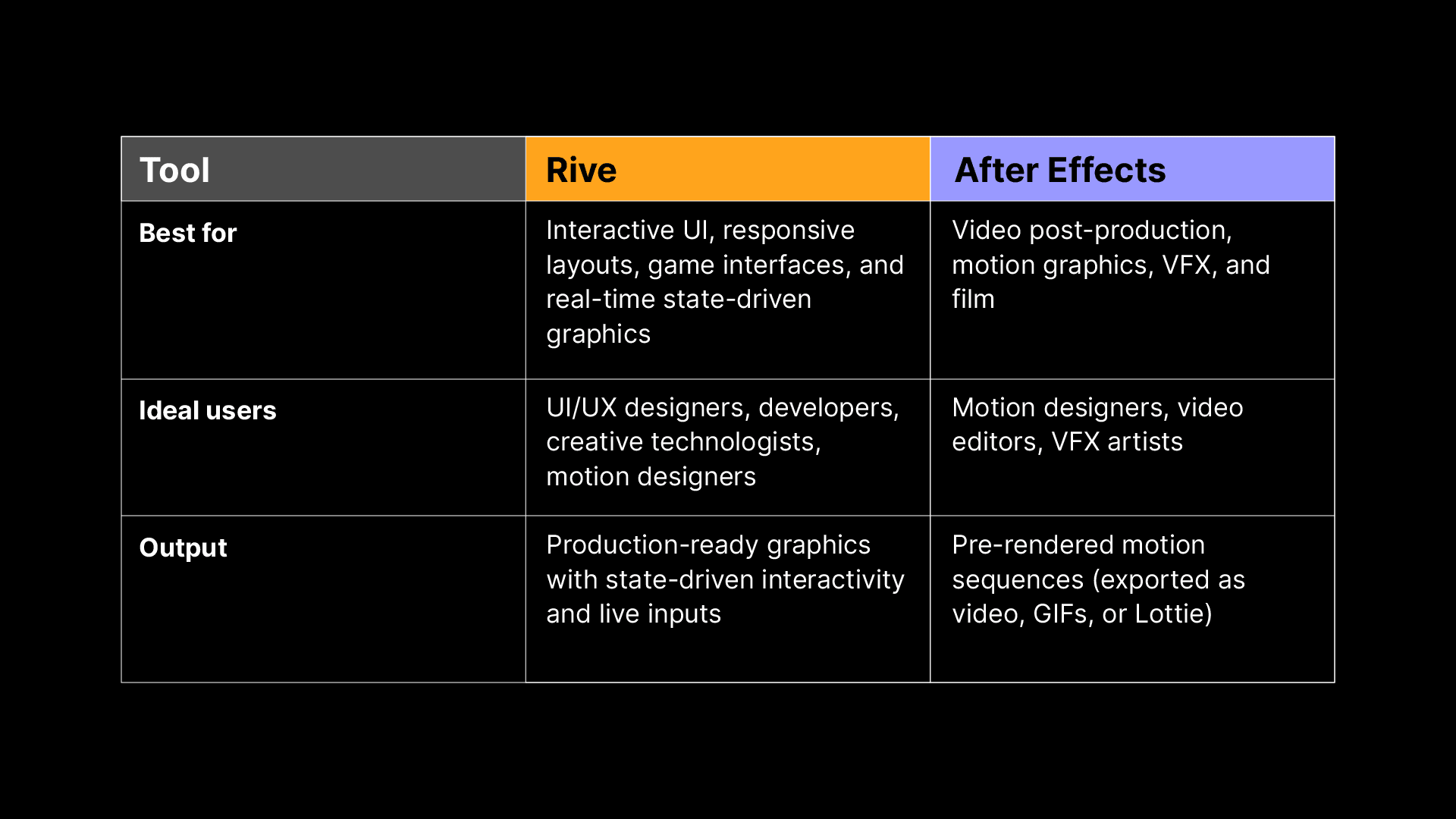
Let’s break down the key differences between the two tools and help you decide which best fits your project.
Who is each tool for?
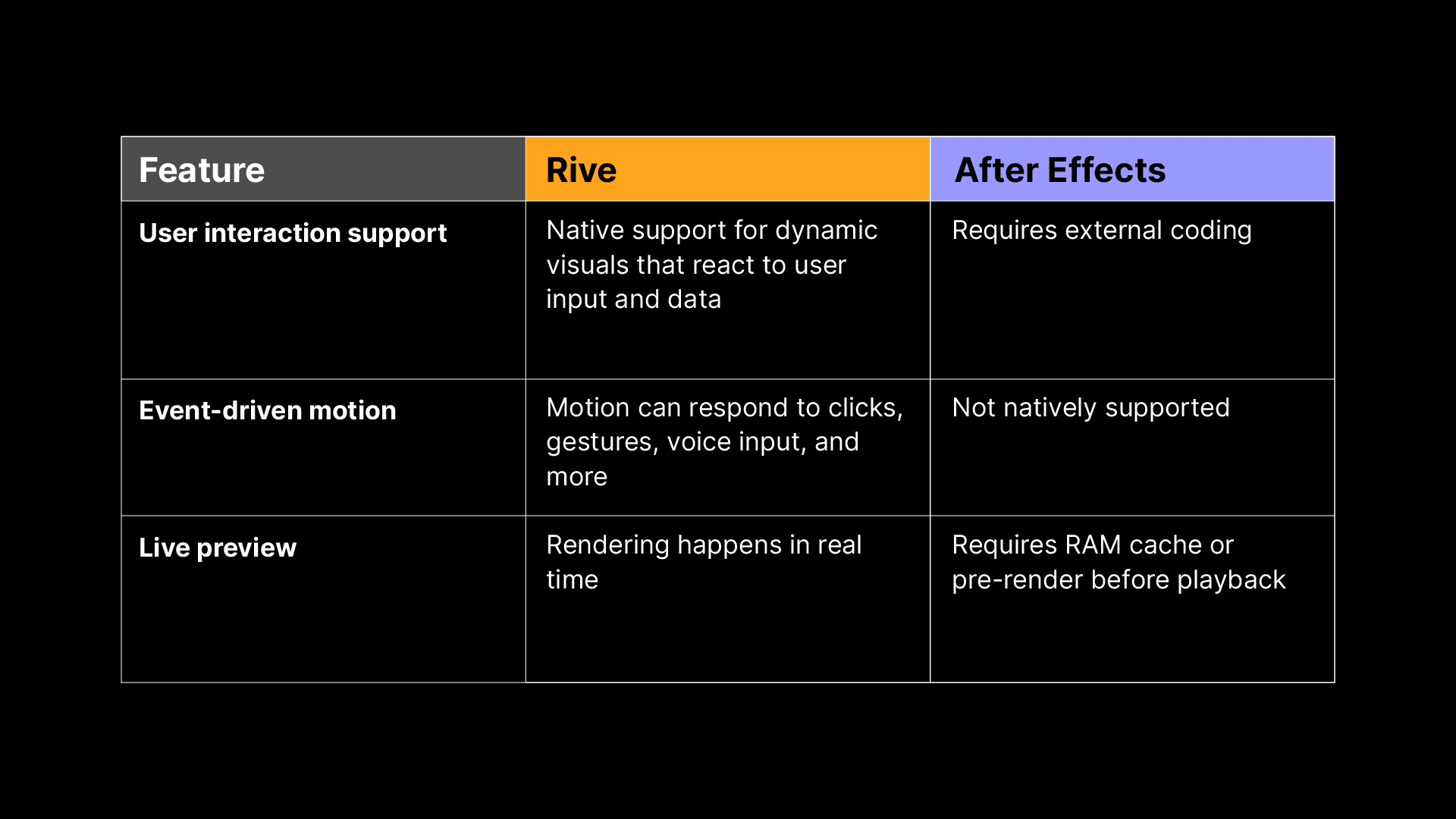
Features breakdown
Motion capabilities
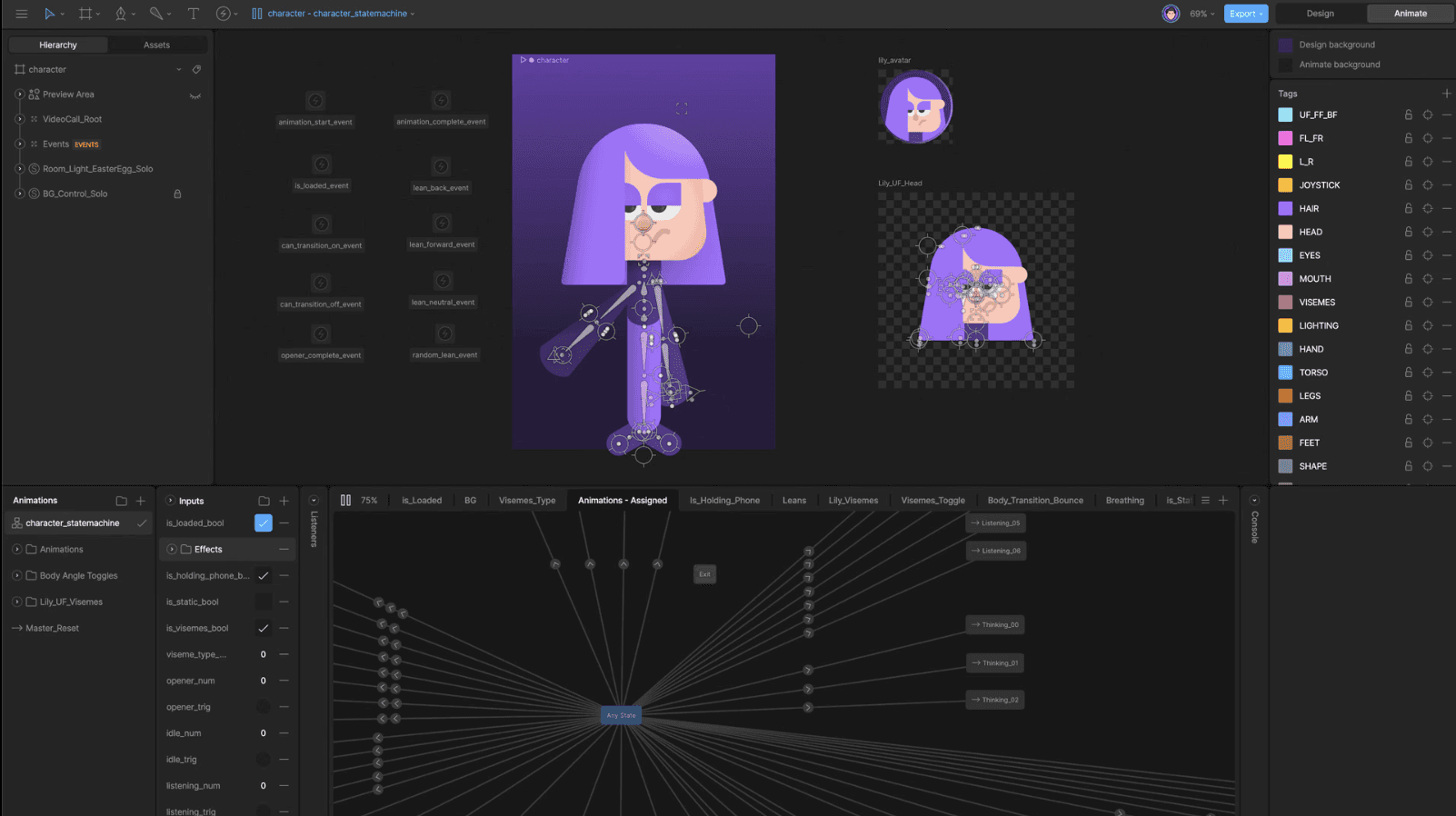
Rive is state-driven. Its State Machine uses timelines as states, so interactive graphics can animate, respond, and change at any moment. Animators still get timelines, keyframes, and a Graph Editor to shape every ease by hand.
After Effects provides industry-leading tools for linear timeline-based motion design and compositing. It’s used for creating post-production visual effects, compositing, and motion graphics for linear video content with a fixed duration.

Interactivity and state machines
Rive is designed for live interaction. Its State Machine allows for fluid transitions between different visual states based on user gestures, app logic, or data. This makes it ideal for responsive UI elements, interactive graphics, and real-time motion effects.
After Effects produces fixed sequences. Once exported, they play back exactly as designed. If you need motion graphics that respond to user actions, external inputs, or live data, you’ll need additional engineering work to make it interactive.
Responsiveness and adaptive motion
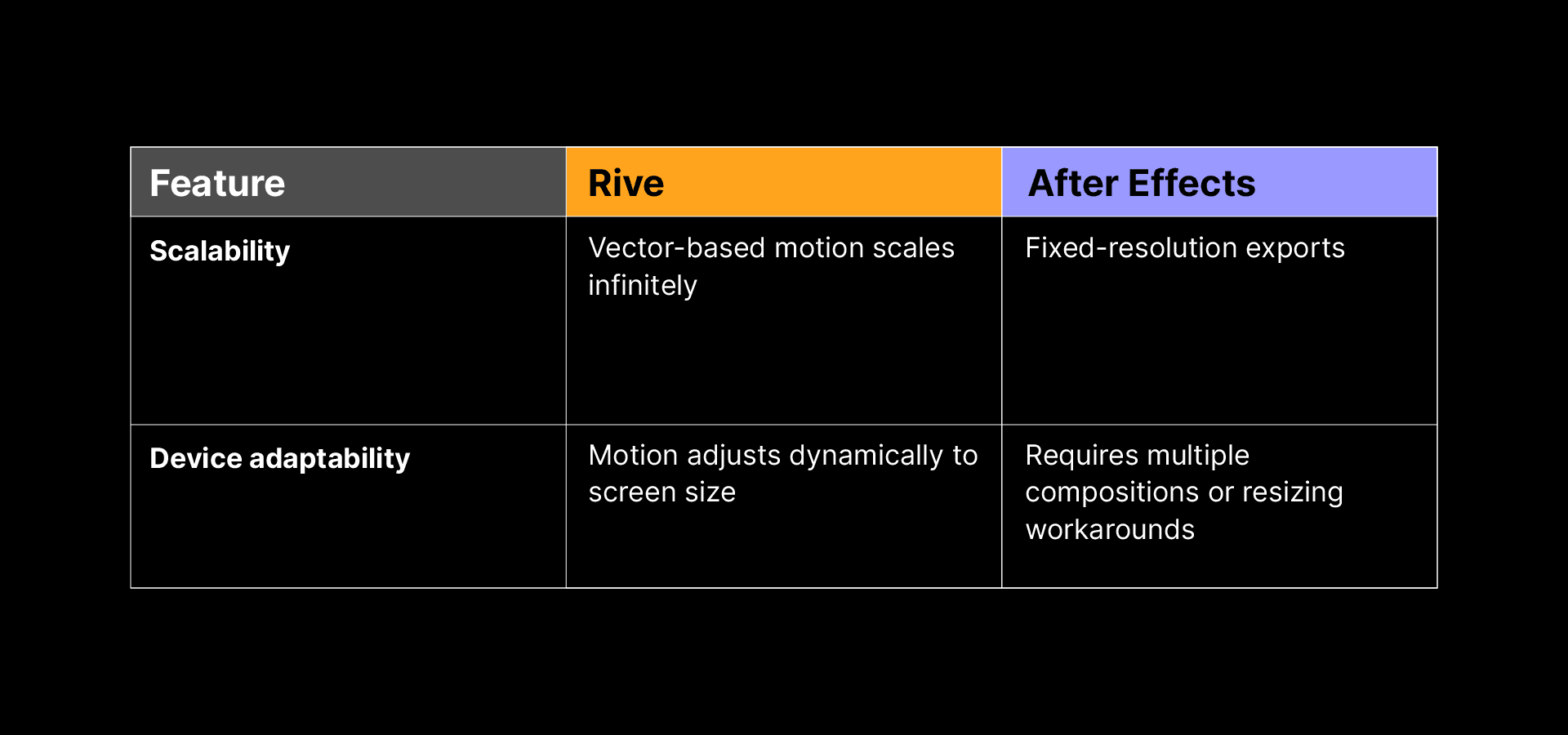
Rive Layouts and Scrolling let motion graphics adapt to different screen sizes and orientations from one file, with no need for multiple exports.
After Effects is designed for fixed resolutions (for example, 1920x1080 for HD video). If a motion graphic needs to scale across different devices, designers typically create multiple versions or use external software to resize exports.
Dynamic data integration
Rive: Data Binding allows graphics to reflect live data, making almost everything in a Rive graphic dynamically updatable at runtime, including color, size, text, images, lists, and components. Data Binding works in every Rive runtime.
After Effects: Not built for live data. While some plugins and scripting options can simulate dynamic content, After Effects doesn’t natively support runtime data changes. Motion is pre-rendered, and any updates to content (like changing text or values) require re-rendering. It’s great for broadcast-ready motion, but not suited for interactive or real-time applications.
Technical performance
Rendering and output
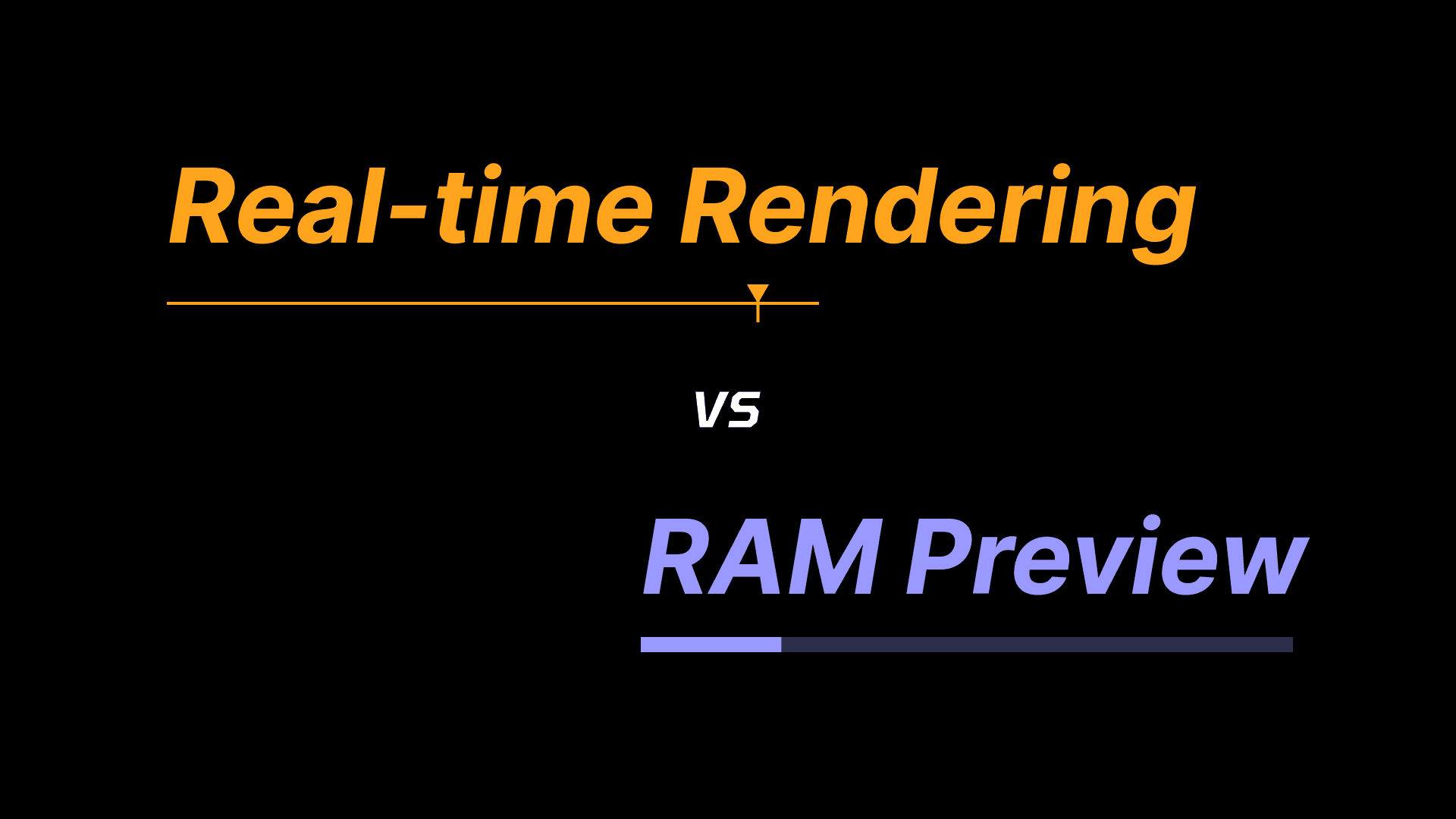
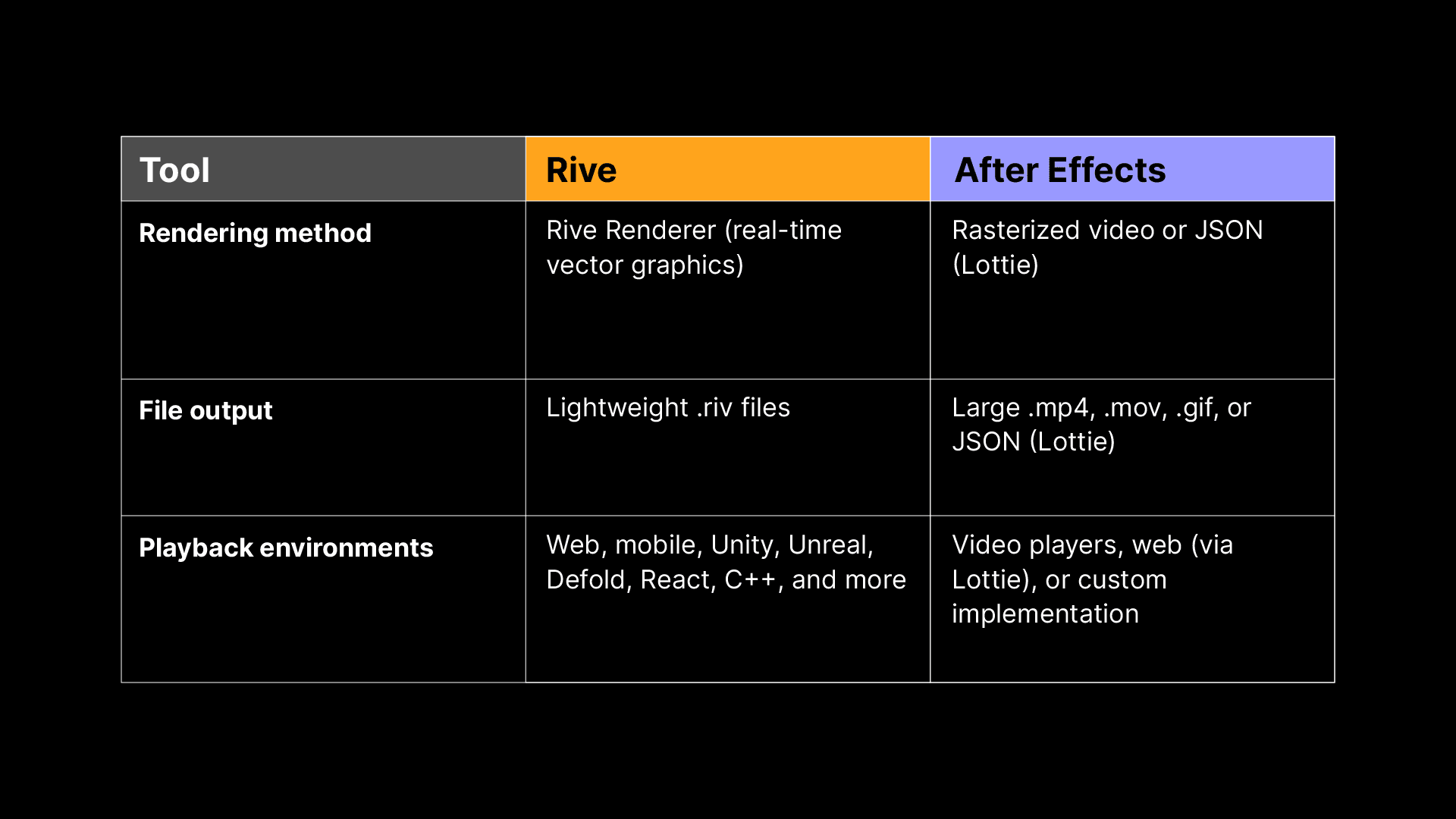
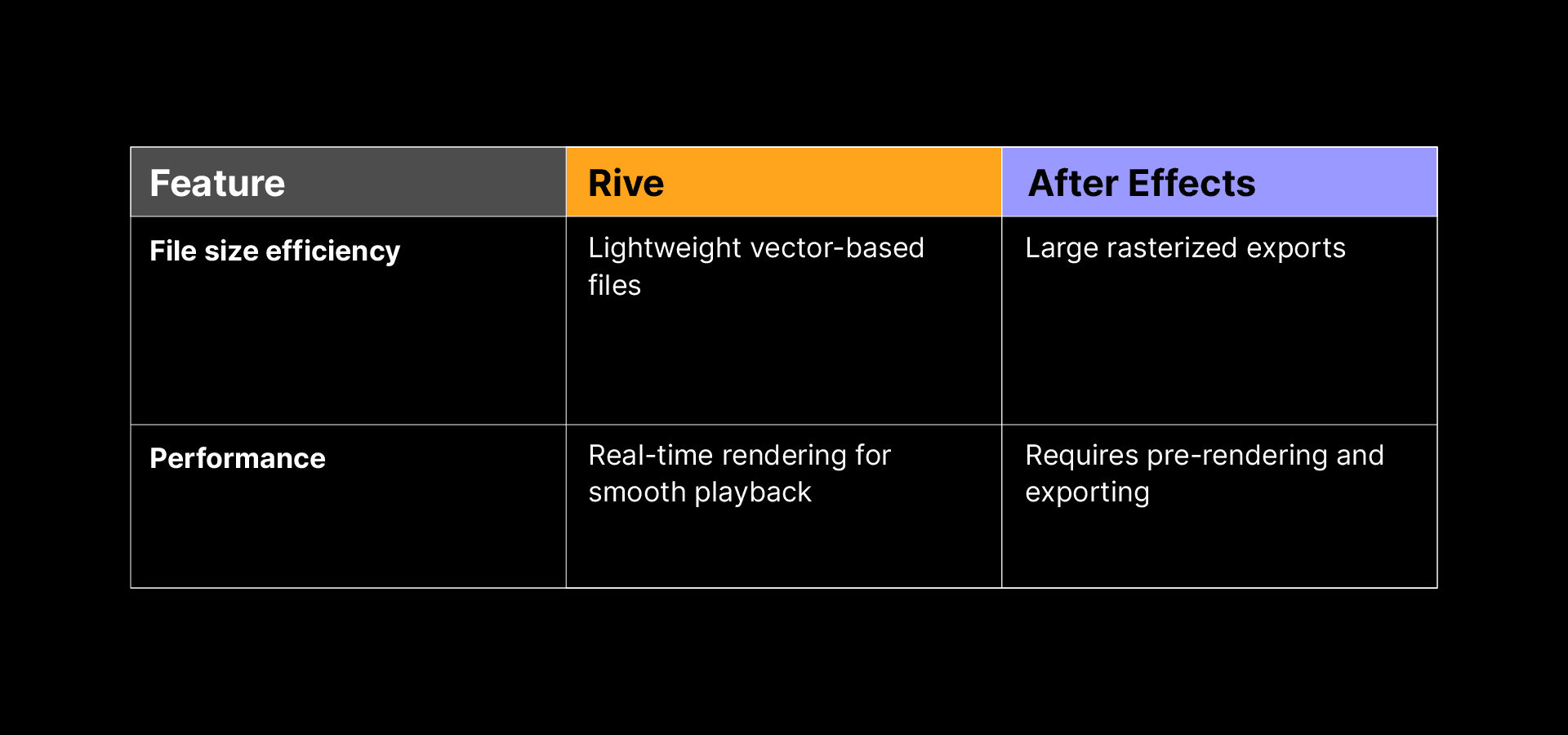
Rive files run natively in your app, website, or game. Rive's open-source runtimes draw every frame in real time, so motion can change at any moment without a new render.
After Effects exports pre-rendered motion graphics, meaning every movement is baked into a video file or image sequence. If changes are needed, the file must be re-rendered.
File size and optimization
Rive’s GPU-based Renderer uses Metal on Apple platforms, OpenGL on Android (with Vulkan as an option in some runtimes), and WebGL2 on the web. Rive files store vector instructions, so they're usually far smaller than video files of the same motion. Out-of-band assets cut memory use by letting you reuse raster images, fonts, and audio across several Rive files.
After Effects exports raster-based frame-by-frame formats, which can result in large file sizes, especially for long or complex motion graphics.
Workflow and collaboration
End-to-end pipeline
Rive: One Rive file holds the design, motion, and logic. Your coding agent builds and edits it with the Rive CLI, and designers and animators shape it by hand in the Rive Editor with timelines, the State Machine, Data Binding, and bones and constraints. Each side picks up the other's changes, and the file you edit is the file that ships.
After Effects: Motion designers create animations that are exported as flat assets (like MP4 video, animated images, or Lottie files), which are then handed off to developers and agents to build into the product. This handoff often adds extra steps, communication gaps, and rework when changes are needed.
Collaboration
Rive: Designers, animators, developers, and agents work on the same file. The Rive Editor runs in the browser or as a desktop app, and you can share a link to a live, interactive preview.
After Effects: Designed primarily for individual or serialized workflows. Collaboration often involves sharing project files manually or through Dropbox and Google Drive. Integrating motion assets into production codebases typically requires multiple handoffs and renders, making real-time iteration difficult.
Cost comparison
Rive is free to start. The free plan includes the Rive Editor, the Rive CLI with usage limits, and exports that play a Rive splash screen. Paid plans remove the splash screen. The runtimes are open source and free, with no royalties or runtime fees.
After Effects requires a paid Adobe Creative Cloud subscription. It includes a deep toolset for motion graphics and VFX, and the cost can be a barrier for smaller teams or teams that only need interactive graphics.
Flexibility and future-proofing
Rive: Libraries let teams publish components, view models, and scripts once and reuse them across files, with version history (Voyager and Enterprise plans). Fonts, images, and audio can be swapped at runtime.
After Effects: Optimized for video workflows. It’s less suited for emerging platforms like real-time games, responsive UI, or immersive experiences like VR. As new platforms emerge, After Effects may require additional tooling or workarounds to adapt.
Platform support
Rive: Open-source runtimes play the same Rive file on web, iOS, macOS, Android, Flutter, React, React Native, Unity, Unreal, Defold, and C++, and Rive also runs on consoles, smart TVs, and cars. What you see in the Editor is what you get in Rive’s runtimes. We build the runtimes and the renderer ourselves, so fixes don't depend on third parties. The runtimes are MIT licensed, with no royalties or runtime fees.
After Effects: Outputs are platform-agnostic video or Lottie files. This works for social content or motion assets in marketing. However, using After Effects motion graphics in live software often requires custom code or conversion tools, particularly for games and apps where performance and flexibility are key.
Customer examples
Rive: Duolingo adopted Rive to enhance their interactive characters, achieving a 15x reduction in file size while improving performance and interactivity. Teams at Spotify, Disney, and Riot Games also ship with Rive, and products built with Rive reach over 2 billion users.
Case studies:
After Effects: Used by studios and creatives across film, broadcast, advertising, and online content. Major users include video editors, post-production houses, YouTubers, and digital agencies producing linear, high-quality motion graphics. Examples include title sequences, brand animations, and explainer videos on YouTube.
Choosing the right tool
Pick After Effects for linear motion that ends up as video: film, broadcast, ads, and social content. Pick Rive for motion that lives inside software and has to react to people and data. You can use both: After Effects for the launch video and Rive for the product itself.
Try Rive for free, or point your coding agent at the Rive CLI and open what it builds in the Rive Editor.
Join our newsletter
Get all the latest Rive news delivered to your inbox.